
 16 QC photos
THE FIND STARTS HEREVigorbuy
Vigorbuy
Spreadsheet.
Find products by category, explore different styles and view QC (quality control) photos where available. Open a product to see its details and buying link.
✓Product links · Photos · Buying guides
Browse by category
Browse more categories01 / COLLECTION

Shoes
Sneakers, boots and everyday pairs worth a closer look.
02 / COLLECTION

Hoodies
Zip-up hoodies, pullovers and sweatshirts.
03 / COLLECTION

Jackets
Everyday jackets in different cuts and styles.
04 / COLLECTION

T-Shirts
Everyday tops, prints and fabric details.
05 / COLLECTION

Down Jackets
Puffer jackets, parkas and padded outerwear.
06 / COLLECTION

Pants
Trousers, joggers and relaxed everyday bottoms.
07 / COLLECTION

Perfume
Perfumes in different versions and bottle sizes.
08 / COLLECTION

Electronics
Audio, phone accessories and useful tech essentials.
Featured finds
16 QC photos 8 QC photos
Nike Air Jordan 13 Black Grey Sneakers
Listing updated 2026-10-30View details →Buy 8 QC photos
Nike Zoom Kobe 6 'Pink' Sneakers
Listing updated 2026-10-26View details →Buy 7 QC photos
Polo Ralph Lauren Pink Crewneck Sweatshirt
Listing updated 2026-10-31View details →Buy 3 QC photos
White 'Curtis' Graphic Sweatshirt
Listing updated 2026-10-25View details →Buy 2 QC photos
Black Spider Web Print Hoodie
Listing updated 2026-11-01View details →Buy 6 QC photos
Adidas Black & White Windbreaker Jacket
Listing updated 2026-11-01View details →Buy
CP Company Denim Hooded Jacket with Goggle Hood
Listing updated 2026-10-31View details →Buy
Prada Black Logo Jacket
Listing updated 2026-10-29View details →Buy 7 QC photos
White 'Beat Us!' Graphic T-Shirt
Listing updated 2026-10-31View details →Buy 3 QC photos
Hellstar Studios 'Path 2 Paradise' 777 Tee White/Black T-Shirt
Listing updated 2026-10-30View details →Buy 3 QC photos
Supreme 99 Jersey T-Shirt Black
Listing updated 2026-11-02View details →Buy
Moncler Maya Red Puffer Jacket
Listing updated 2026-11-02View details →Buy
Moncler Navy Puffer Jacket
Listing updated 2026-11-01View details →Buy
Canada Goose Chilliwack Navy Puffer Jacket
Listing updated 2026-11-01View details →Buy
Stone Island Cargo Pants Khaki Trousers
Listing updated 2026-10-31View details →Buy
Stone Island Shadow Project Cargo Pants Khaki
Listing updated 2026-10-31View details →Buy
Stone Island Shadow Project Silver Track Pants
Listing updated 2026-10-30View details →Buy 4 QC photos
Creed Silver Mountain Water 100ml Perfume
Listing updated 2026-10-31View details →Buy 4 QC photos
Hermès Terre d'Hermès Eau Givrée 100ml Perfume
Listing updated 2026-10-31View details →Buy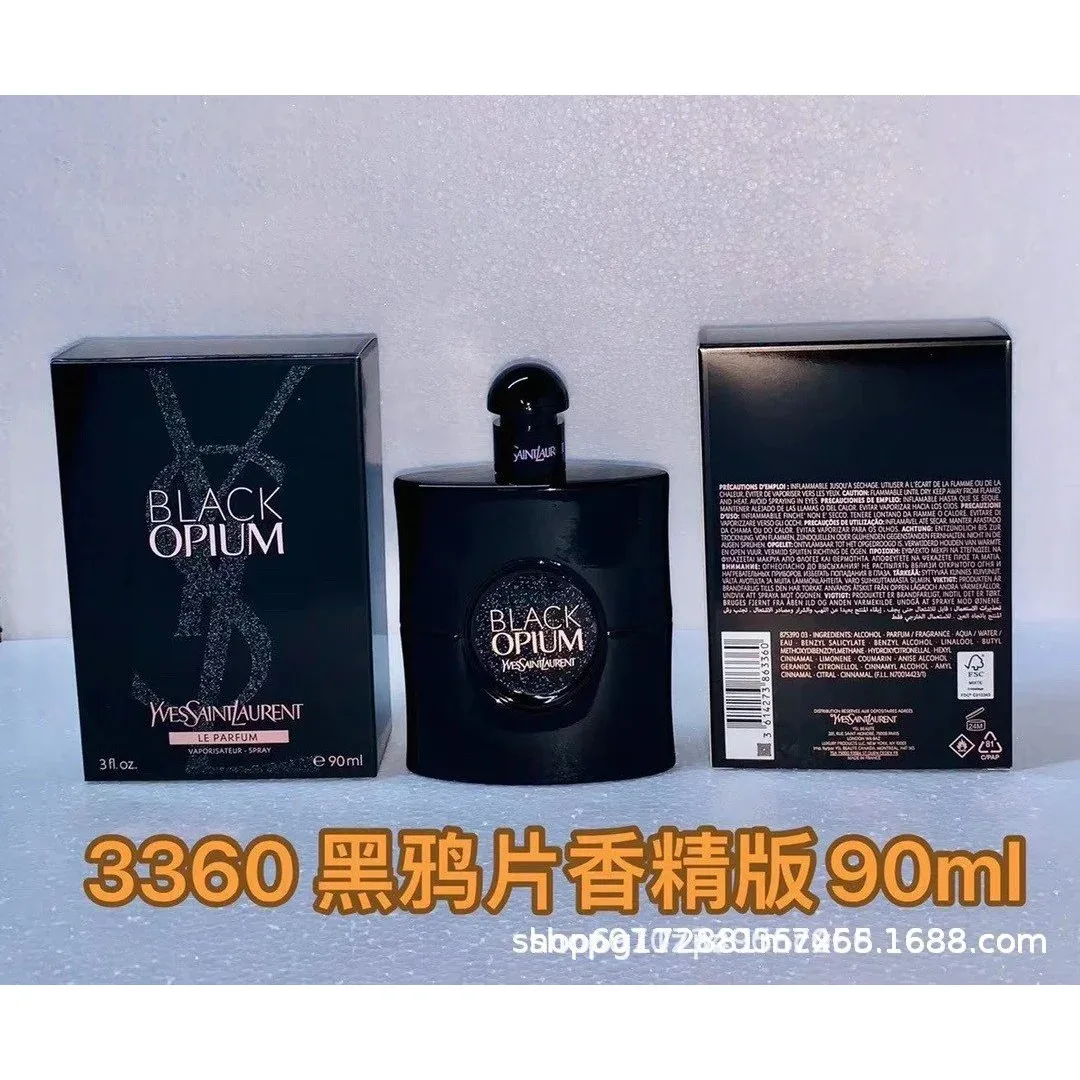
YSL Black Opium90ML Perfume
Listing updated 2026-10-18View details →Buy 2 QC photos
Portable Bluetooth Speaker Black Audio Device
Listing updated 2026-10-23View details →Buy 2 QC photos
Stanley Hello Kitty KT Pink Quencher H2.0 Tumbler
Listing updated 2026-10-14View details →Buy 3 QC photos
Apple AirPods (Without ANC) Wireless Earbuds
Listing updated 2026-11-01View details →BuyGuides
View all guides ↗QC photos
How to Read QC Photos
Learn what QC photos can show, how to check measurements and when to ask for another photo.
Read guide ↗Getting startedHow to Use a Vigorbuy Spreadsheet
Find an item, choose a style and open its buying page.
Read guide ↗Budget and destination chargesProduct Price vs Delivered Cost
Work out the product price, shipping and extra fees before ordering.
Read guide ↗FAQ
What is a Vigorbuy Spreadsheet?
A Vigorbuy Spreadsheet brings product links together to help you find items. Here, you can browse those links by category, view product details and open the matching buying page. You do not need to download a spreadsheet.
Browse product categories ↗How do I find products?
Choose a category such as Shoes, Hoodies or Electronics. Click a product image or title to see its details and any other styles or QC photos available here. Use the page numbers to see more items. The search box opens product search results in a new tab.
How to use the product links ↗What does the QC photo count mean?
QC means quality control. The number shows how many QC photos you can view here; The buying page may have more. These photos may show previous orders, sizes or colours. They help you see details, but do not prove that your own order has passed inspection or that an item is authentic. The main product image is a listing photo, which may be different from the QC photos.
How to read QC photos ↗Do the displayed prices include shipping?
The price shown is an earlier product price, not the total cost to receive it. Your size or colour, delivery to the warehouse, international shipping and any fees or taxes may change the total. Check the current product price on the buying page and confirm all charges with the service you use to order.
Product price vs delivered cost ↗Is product information updated in real time?
No. We display product information saved on an earlier date. Prices, sizes, colours and stock may have changed. “Details saved” tells you when we saved the information; “Listing updated” is the update date supplied by the product source. Neither date means we inspected the item. Check the buying page for current details.
Can I place orders on this website?
Orders are placed outside this website. The Buy links and “View product & buy” button open the matching buying page in a new tab. Follow the buying options there to order. Contact the service handling your order for payment, returns or delivery support.
Planning a return or exchange ↗What if a product link is unavailable?
Go back to the category and look for another product. If a link opens a different item, check the name, photos, colour and size before ordering. Product pages can change after we save them.
Return to the categories ↗Is this the official Vigorbuy website?
No. This is an independent website for browsing product links and reading buying guides. We do not run Vigorbuy accounts or process orders. Use the official service handling your order for account and payment support.